
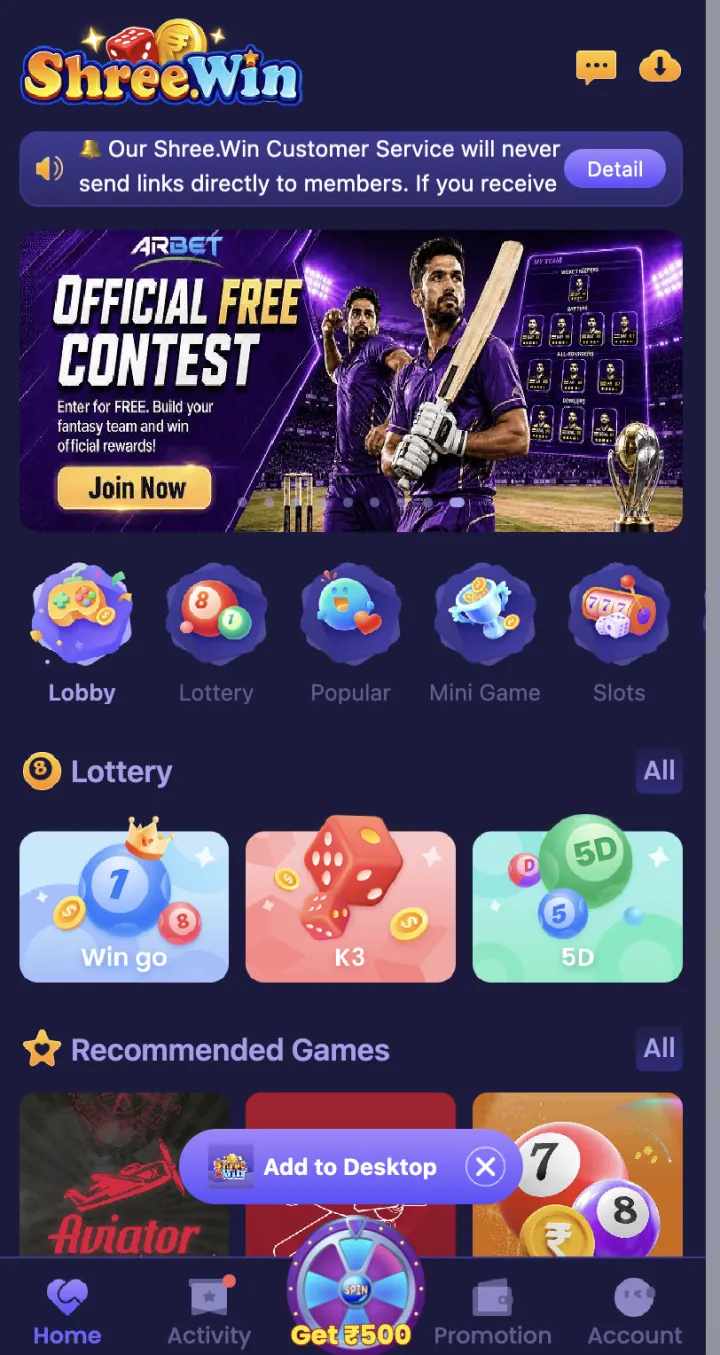
How to open WinGo on ShreeWin
Open ShreeWin and tap Lottery in the category row. Select the WinGo card shown with K3 and 5D. If the first row changes, tap All to open the full Lottery list.
Check the game name at the top after the page opens. WinGo and TRX WinGo have separate guides because their screens and rules can be different.
Read the active period and countdown
The period number identifies the current round. The countdown shows the time left before the round closes. Check both before choosing a colour or number.
Do not confirm an entry when the countdown is about to end unless you have checked the current period and the full confirmation panel. A late entry may move to another period or may not be accepted.
Colour, number and Big or Small choices
The WinGo screen can show colour, number and Big or Small choices. Open Rules before you use any option because the current result mapping and settlement terms are shown there.
Check the selected choice and entry amount in the confirmation box. Use the live Rules table instead of a copied chart or an old social-media message.
How to check a WinGo result
After the countdown ends, open Result History and match the completed period number with your entry. Then open Game History or Transaction to check the account record linked to the same period.
If a result is still updating, refresh once and wait for the period to settle. Save the period number, date, time and transaction reference before you contact Customer Support.
Skills that help you use the game screen
Reading the rules, checking the active period, watching the countdown and reviewing your choice all require attention. These steps help you avoid choosing the wrong option, period or amount.
They do not make a future result certain. Do not trust a person, group or app that promises a fixed result, guaranteed signal or loss-recovery method.
Common WinGo mistakes to avoid
Common mistakes include opening the wrong room, reading an older period, entering a different amount, missing the closing time and checking the wrong result row. Slow down and read the confirmation details before you tap the final button.
Keep your password, OTP, UPI PIN and withdrawal password private when asking about a game record. Customer Support can check a period using its number and transaction reference.
- Check the WinGo room name
- Match the active period
- Read the countdown
- Review the selected colour or number
- Confirm the entry amount
- Match Result History with Game History
Set a clear limit before paid play
Choose a time limit and an amount you can afford to lose before opening a paid round. Stop when either limit is reached. Do not borrow funds or continue only to recover an earlier loss.
ShreeWin is for users aged 18 or above. Check the rules that apply in your state or location before using paid gaming features.