What is available on the Activity page
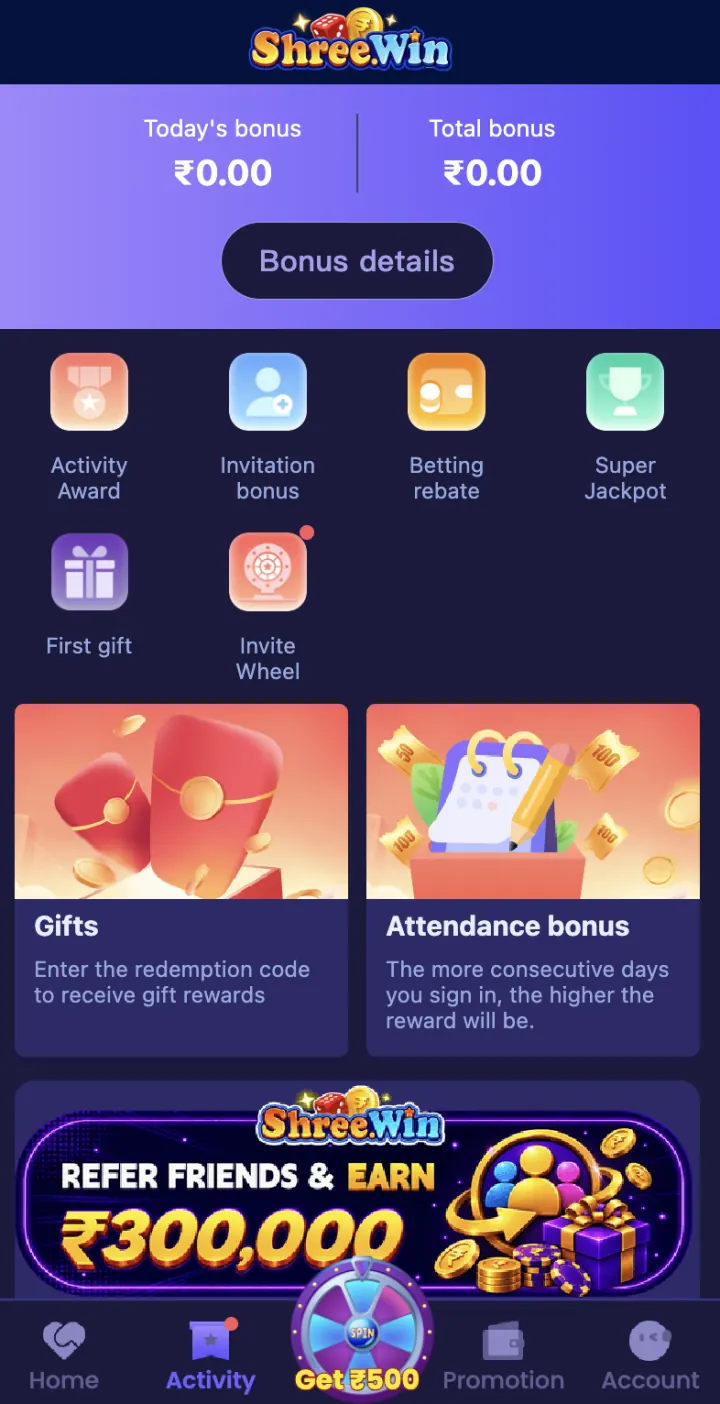
The Activity page shows today’s bonus, total bonus and a Bonus Details button. Its main options include Activity Award, Invitation Bonus, Betting Rebate, Super Jackpot, First Gift, Invite Wheel, Gifts and Attendance Bonus.
Tap one option at a time and read its activity details. Each offer can have its own dates, target, claim step and account conditions.
- Activity Award
- Invitation Bonus
- Betting Rebate
- Super Jackpot
- First Gift
- Invite Wheel
- Gifts
- Attendance Bonus
How Activity Award tasks work
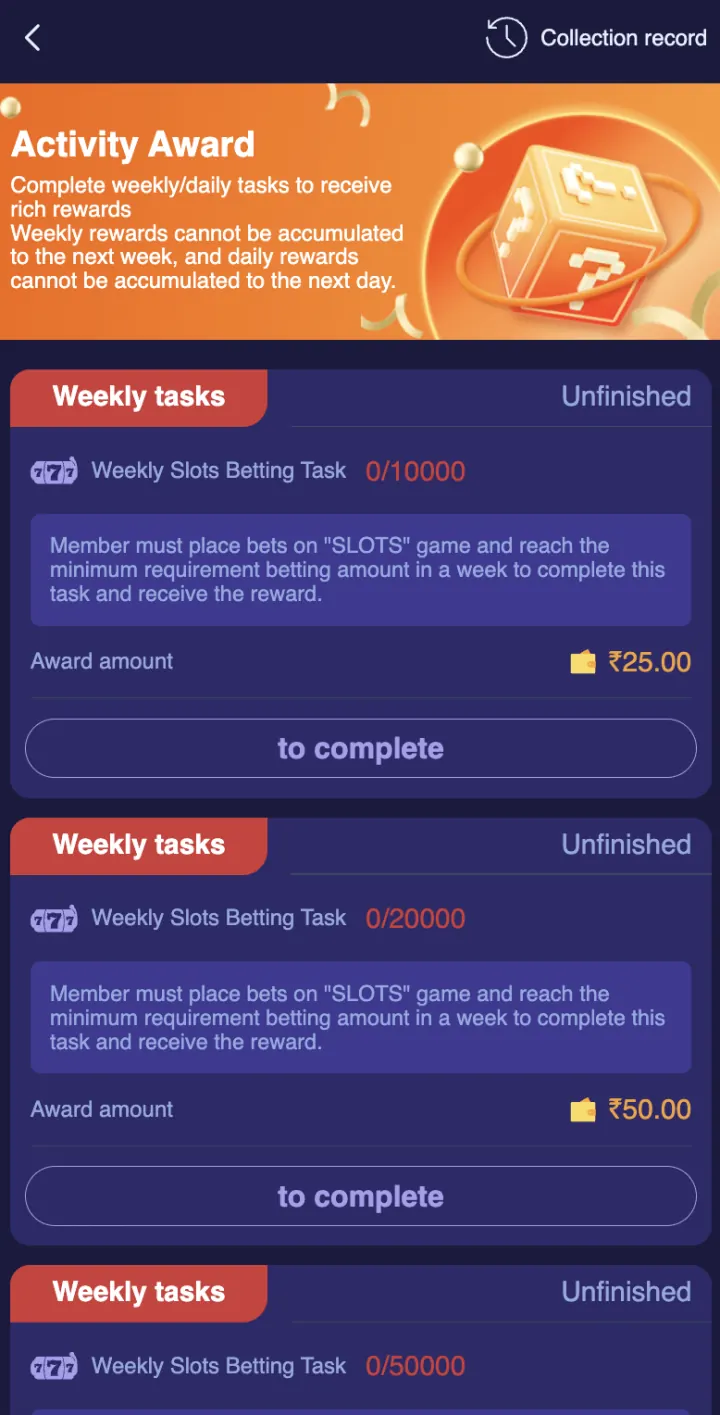
Activity Award separates weekly and daily tasks. A task card shows the game or action, target amount, current progress, listed reward and completion status.
Open Collection Record to check claimed items. A weekly target and a daily target are measured separately, so read the task label before you start.
First Gift for new members
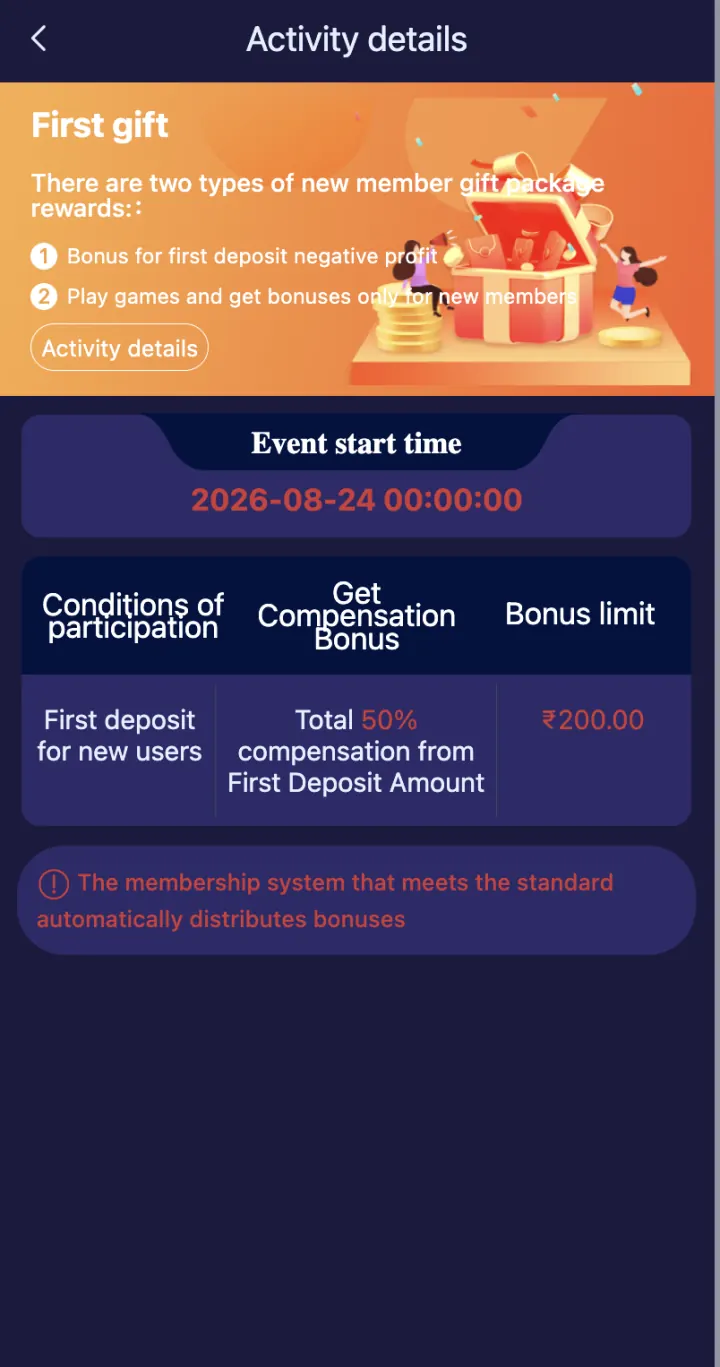
First Gift is a new-member activity. Its details page shows the participation condition, compensation rule and bonus limit for the offer shown in the account.
Read the event start time and activity details before you deposit or play for this offer. The membership system can distribute an eligible bonus after the displayed condition is completed.
Gifts and gift-code claims
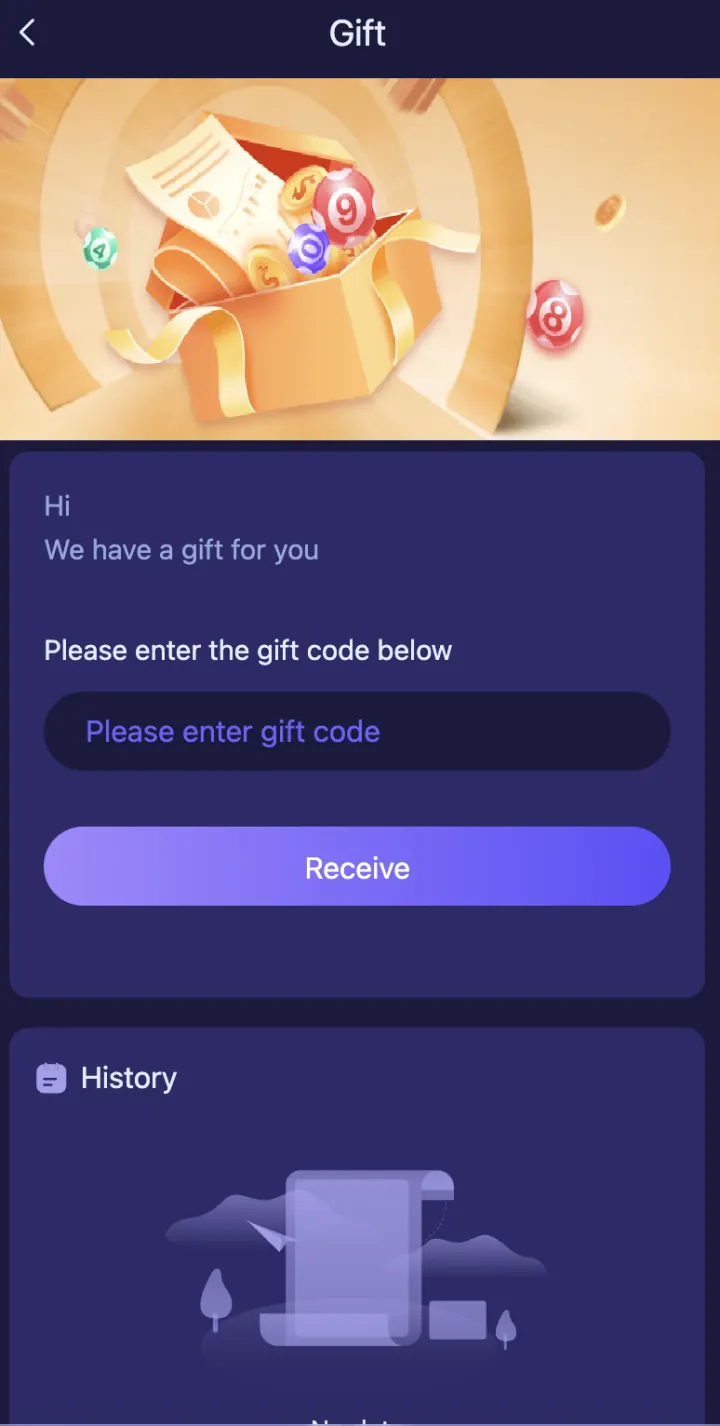
The Gifts option opens a page with a Gift Code field and a Receive button. Enter an active code exactly as provided and check the result in History.
A gift code can have an expiry, one-time limit or account condition. Do not pay an unknown person for a code, and do not share your ShreeWin password or OTP to claim one.
Invitation Bonus and Invite Wheel
Invitation Bonus and Invite Wheel are connected with referral activity shown inside the account. Open the current activity page to see the qualifying invite, deposit or task condition before joining.
Use the Agency or invitation area to check whether a referred member is recorded under your code. A registration alone may not complete an activity if the live rules also require another step.
Attendance Bonus, rebates and jackpot activities
Attendance Bonus is based on the sign-in activity shown on the page. Betting Rebate and Super Jackpot have their own rules and progress records inside Activity.
Do not assume that one offer uses the rules of another. Open the offer, read Activity Details and check the current completion status before making a decision.
Before you claim an activity reward
Check the activity name, start and end time, eligible account, target, progress, reward, claim button and turnover condition. Keep a screenshot of the completed task and the related transaction or collection record.
If a completed reward is missing, contact Customer Support in Settings with the activity name, completion time and record screenshot. Never send a password, OTP or payment PIN.
Explore these ShreeWin sections
Tap any preview image to view the complete ShreeWin page and its available options.