Where to find promotions and activities
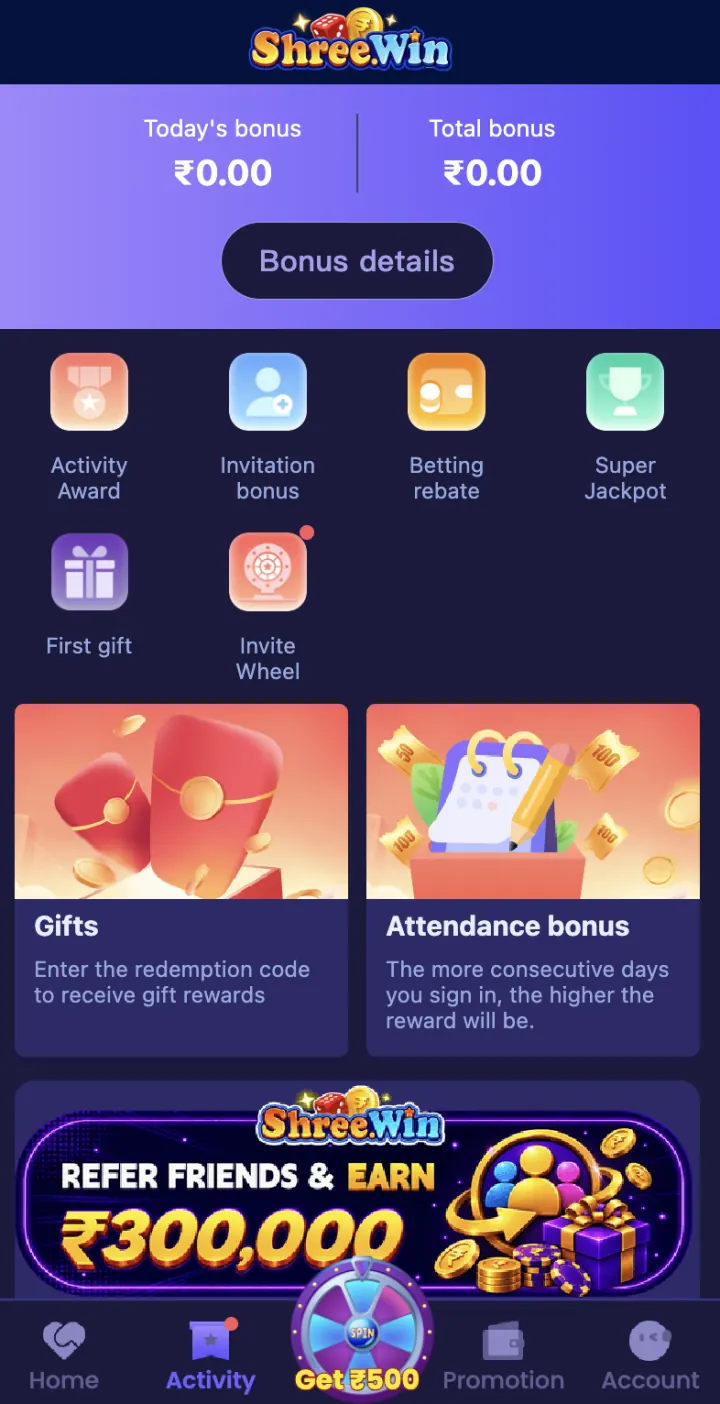
Use the bottom menu to open Activity or Promotion. Activity shows tasks and reward options. Promotion shows the offers available for your account.
Open an offer to check its date, account requirement, required action and claim button.
What appears in the Activity area
The Activity screen includes Activity Award, Super Jackpot, First Gift and Invite Wheel shortcuts. It also shows Gifts and Attendance Bonus cards. Open a card to read the eligibility, required action and collection steps for that activity.
These names describe separate activity areas, not one combined reward. A gift code, attendance reward, invite activity and first-deposit promotion can follow different account rules.
- Activity Award
- Super Jackpot
- First Gift
- Invite Wheel
- Gifts
- Attendance Bonus
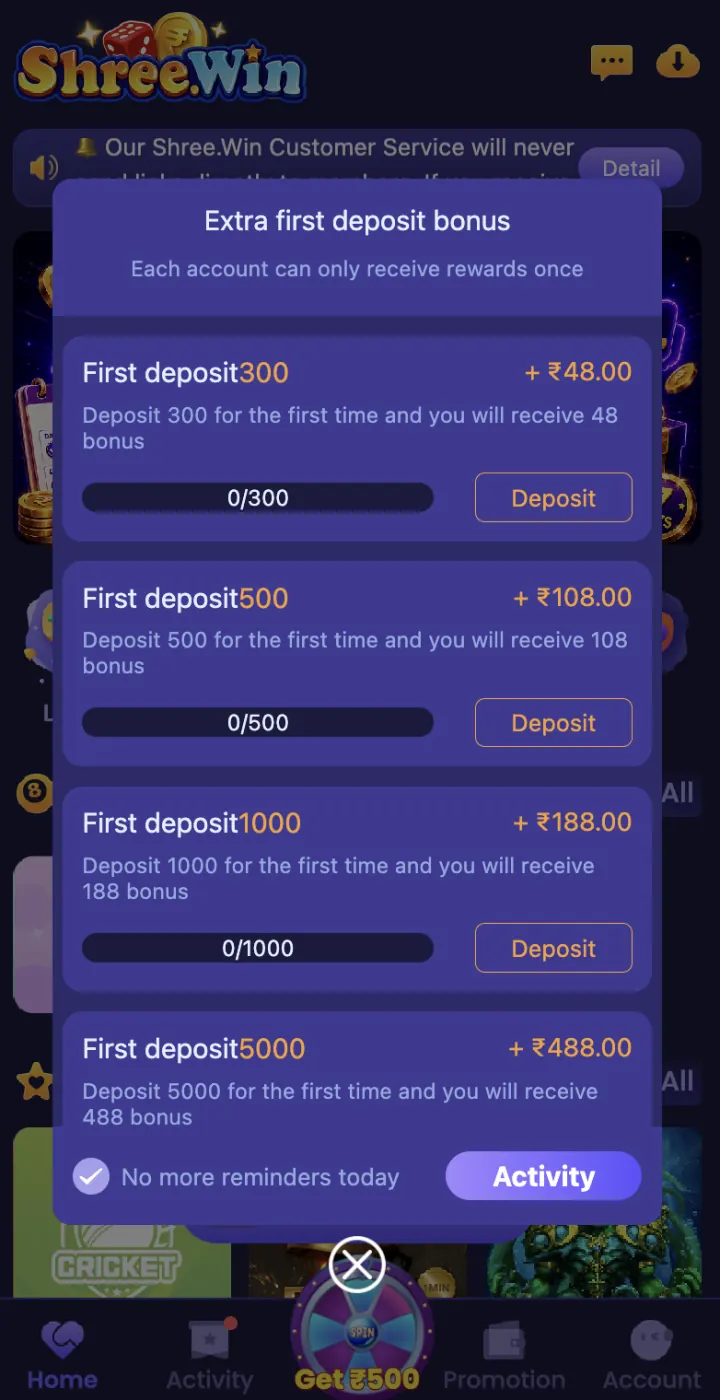
First-deposit offer
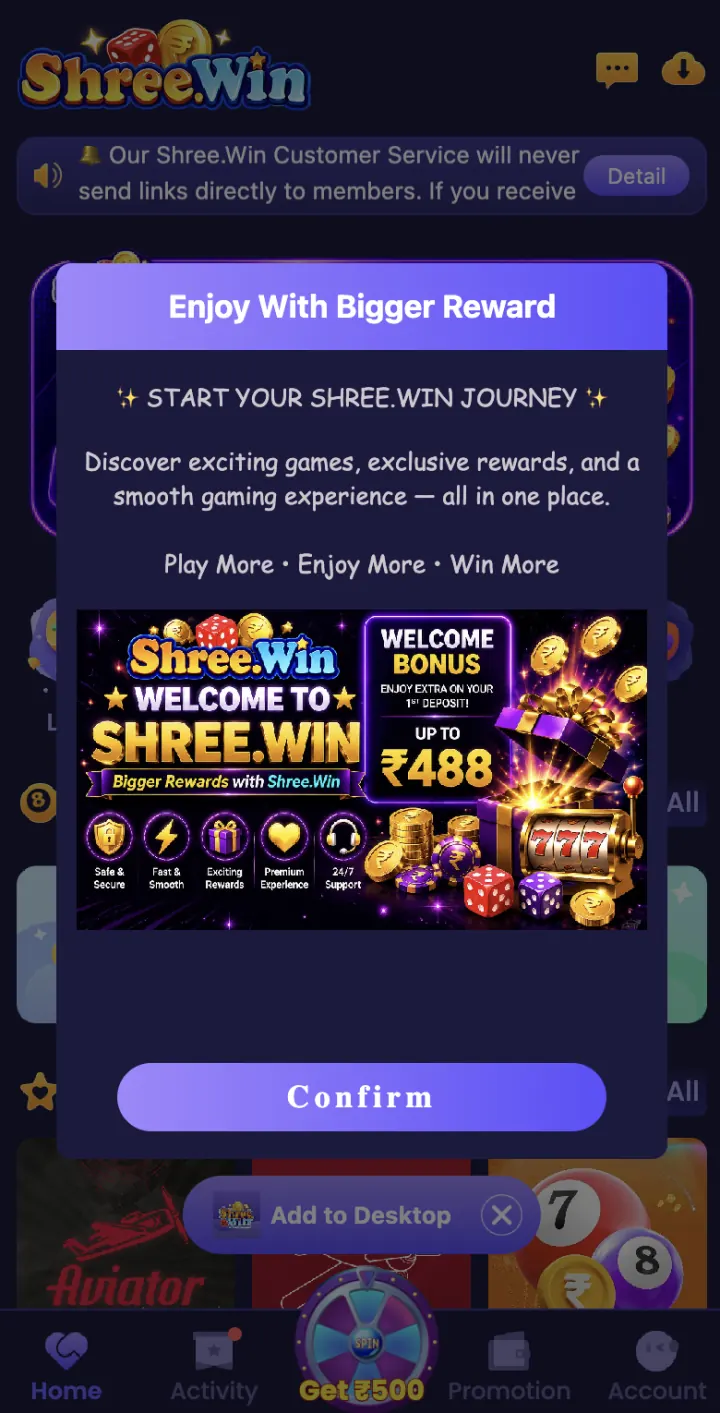
The First Deposit Bonus page shows four one-time tiers: deposit ₹300 to receive ₹48, ₹500 to receive ₹108, ₹1,000 to receive ₹188, or ₹5,000 to receive ₹488. Each account can use this activity once.
Open the offer in your account before payment and read every condition shown there. Bonus amounts follow the promotion rules.
- Deposit ₹300 — bonus ₹48
- Deposit ₹500 — bonus ₹108
- Deposit ₹1,000 — bonus ₹188
- Deposit ₹5,000 — bonus ₹488
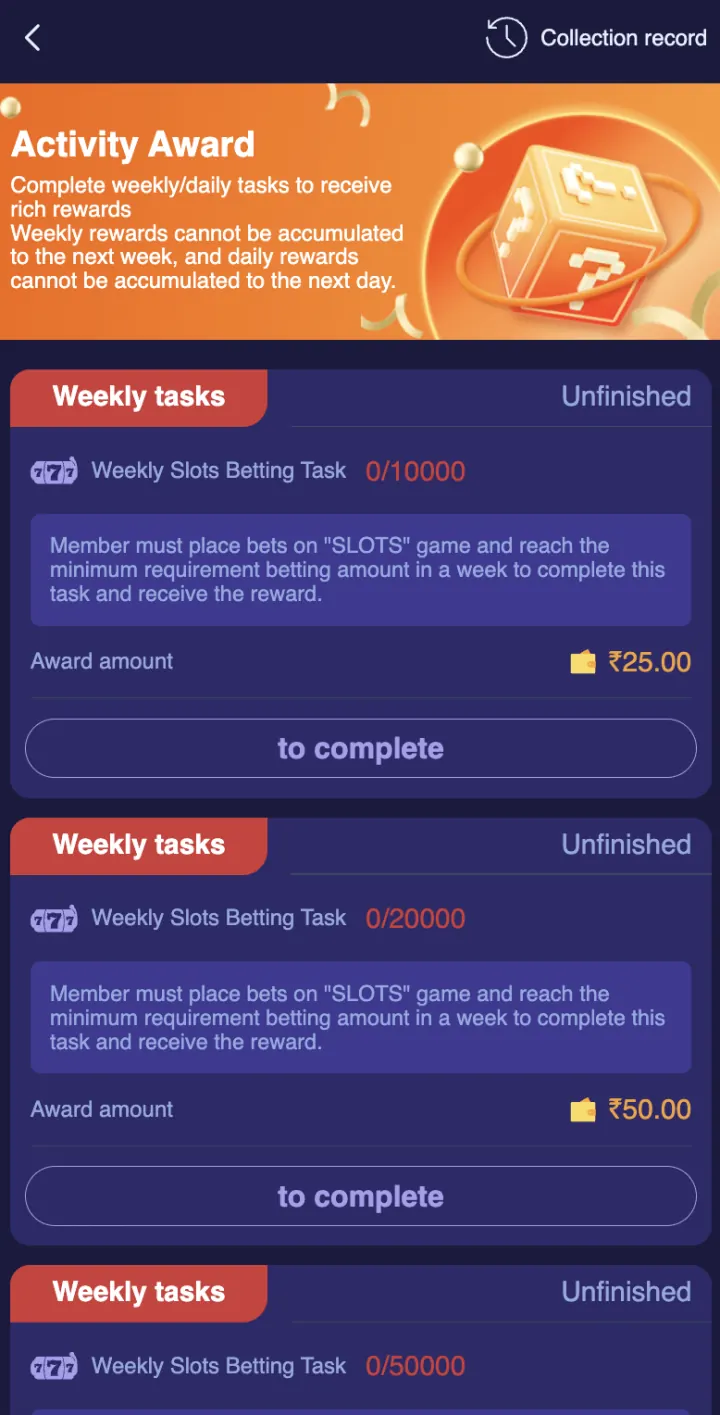
Activity Award tasks
Activity Award separates weekly and daily tasks. Each card shows the task, target, progress, status and listed reward. The visible weekly Slots tasks show ₹25 for a 10,000 target and ₹50 for a 20,000 target.
A 50,000 target is also visible, but its reward is outside the screenshot. Open that task in the app to see the complete amount and requirement before taking part.
First Gift for new users
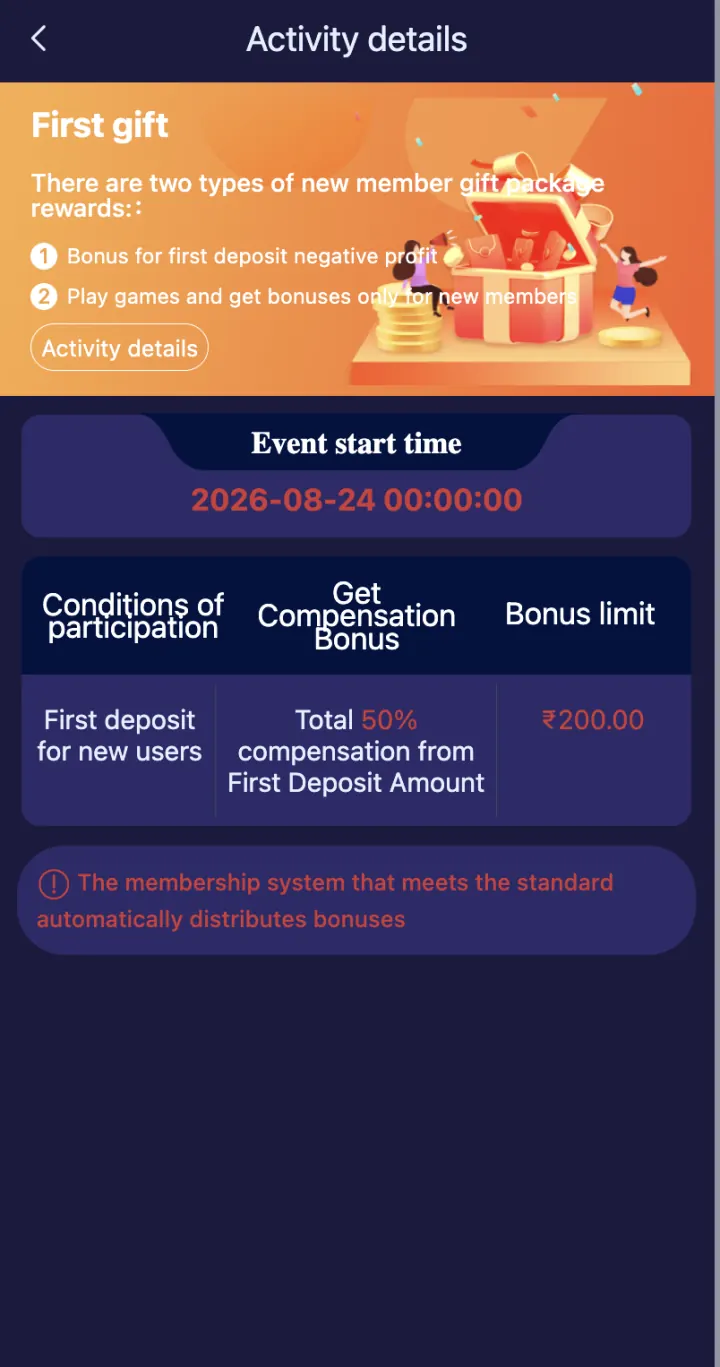
First Gift includes a new-user compensation offer equal to 50% of the first deposit, capped at ₹200, dated 24 August 2026. Eligible accounts receive it automatically after meeting the membership condition.
This First Gift is different from a Gift Code and from the one-time first-deposit tier offer. Open Activity details to check whether it is available on your account and which transaction is included.
Check the turnover rules
Read who can join, the campaign dates, required deposit, reward amount, claim button and account limits. Turnover is the valid game activity needed before some bonus amounts can be withdrawn.
The bonus has a one-time valid-bet or coding-turnover rule. Open the offer details to see which games count and how the requirement is calculated.
How to claim a promotion
Open the offer from Activity or Promotion and follow its steps. Complete the required action and tap Claim if that button is available. Save a screenshot of the offer rules and completed status.
For a deposit offer, use only the payment details shown after you tap Deposit in ShreeWin.
Promotion not received
Check whether the offer is active, whether your account meets its rules and whether the required transaction is complete. Also check if you need to tap Claim instead of waiting for the reward to be added automatically.
If the issue remains, open customer support in Settings. Share the offer name, date, amount, transaction reference and screenshots. Never share your password, OTP, UPI PIN or withdrawal password.
Explore these ShreeWin sections
Tap any preview image to view the complete ShreeWin page and its available options.