What you can find in the ShreeWin Wallet
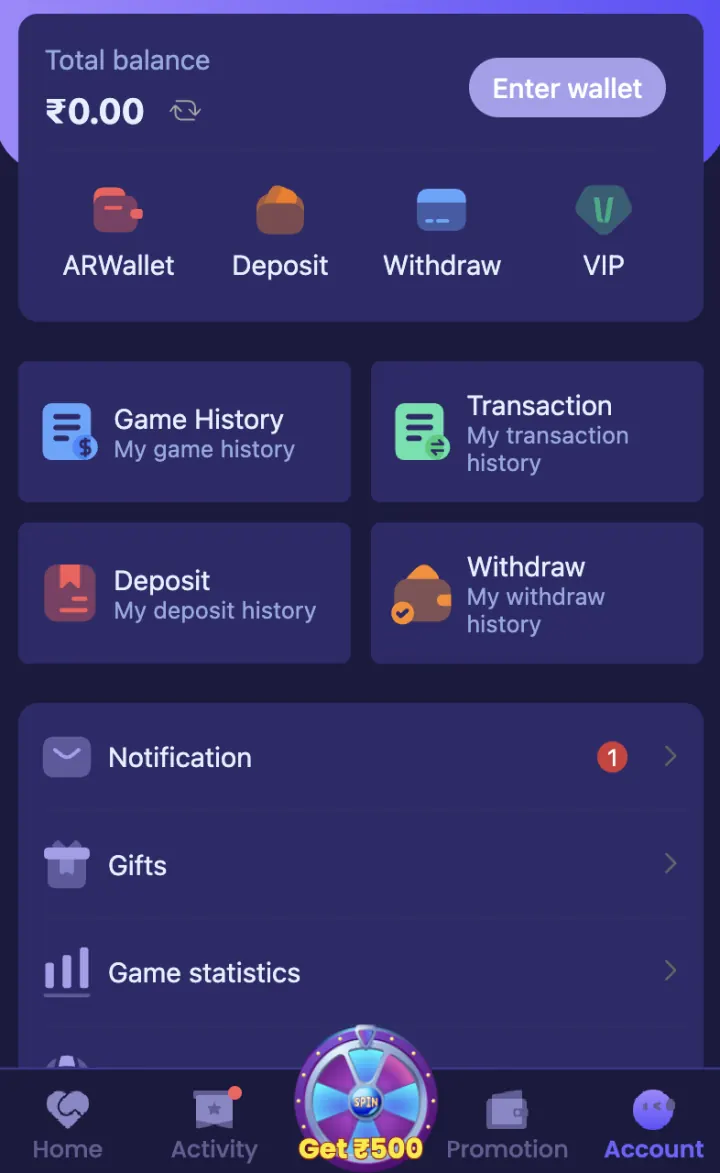
Open Account and tap Enter Wallet. The Wallet area provides Deposit, Withdraw and balance details. The Account page also provides Transaction, Deposit History and Withdraw History cards.
Use Transaction for the complete payment record. Use Deposit History or Withdraw History when you need to check one type of request.
- Current wallet balance
- Deposit and Recharge
- Withdrawal methods
- Transaction history
- Deposit history
- Withdrawal history
How to add funds
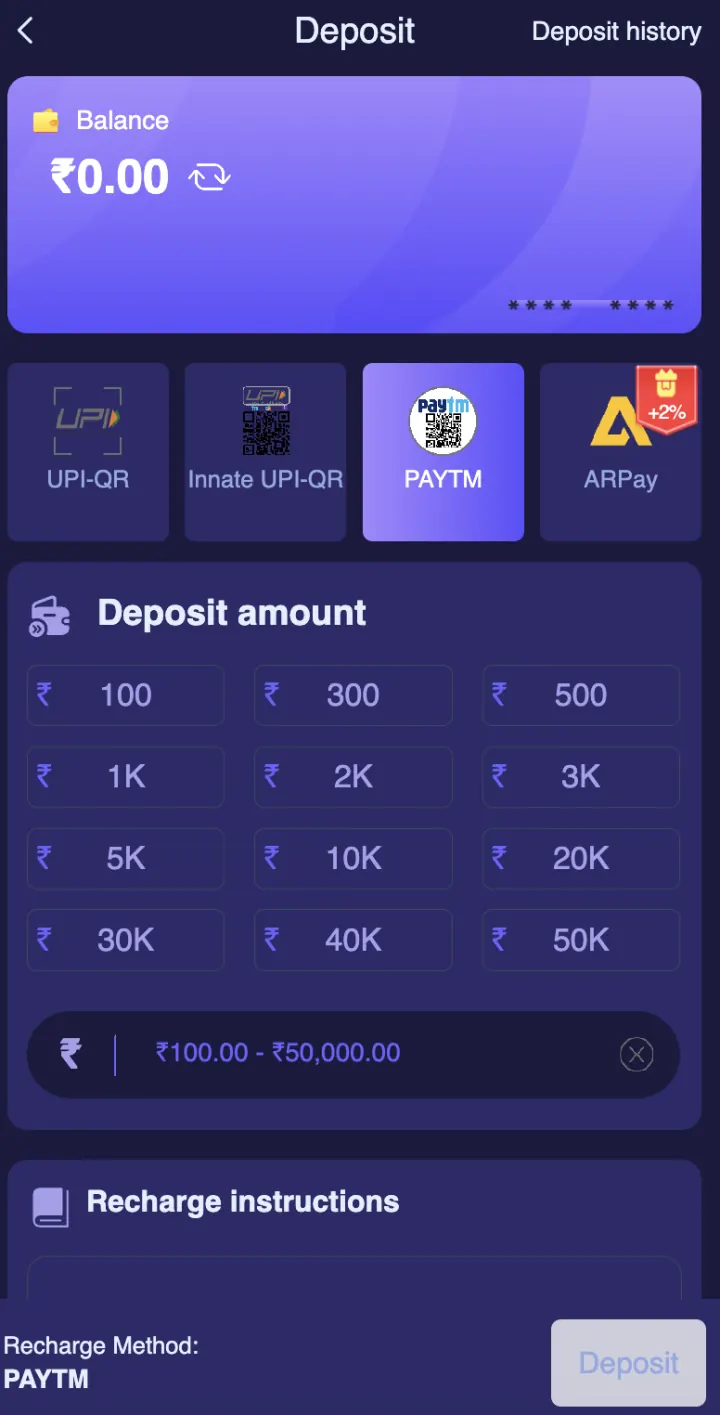
Tap Deposit and choose a payment method displayed in your account. The deposit screen provides UPI-QR, Innate UPI-QR, Paytm and ARPay options, along with preset and custom amounts.
Enter the amount, check the receiving details and complete the payment from your own payment app. Save the UTR or transaction reference until the ShreeWin balance and Deposit History are updated.
How to request a withdrawal
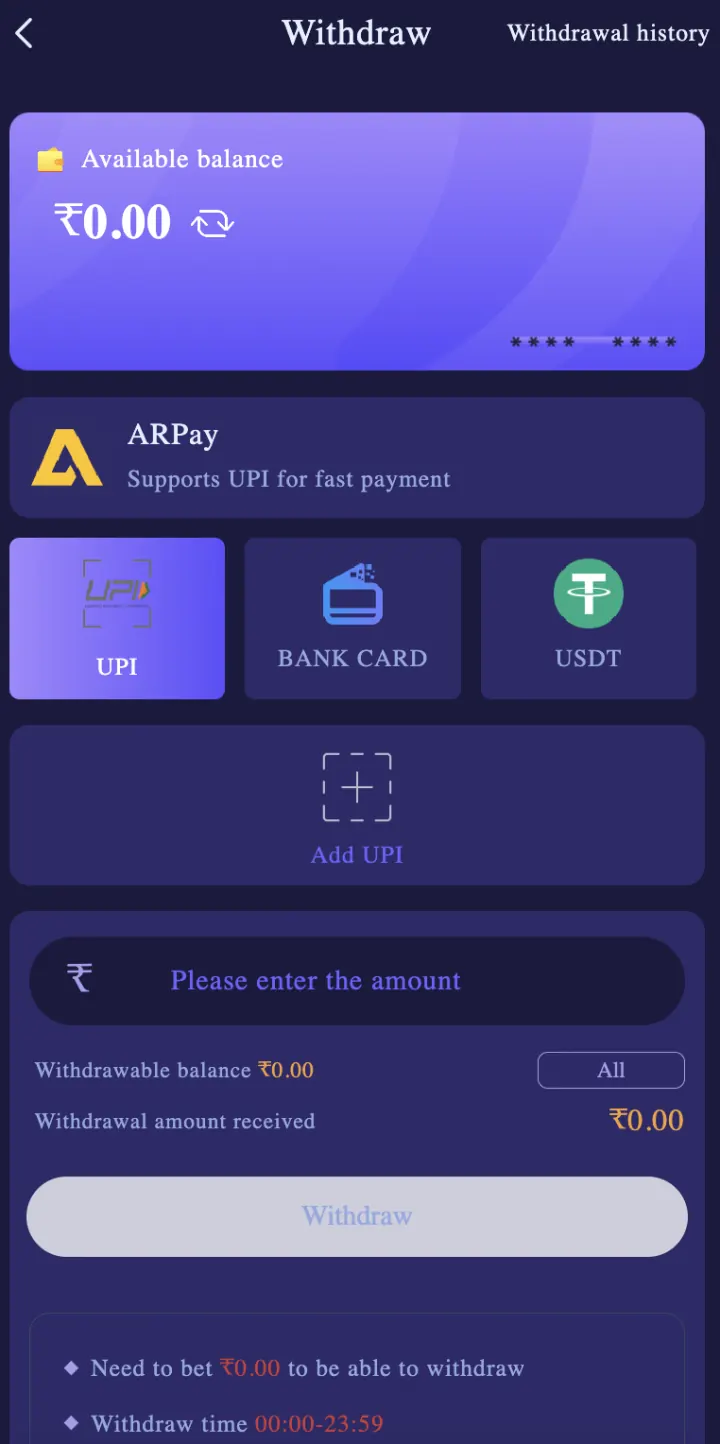
Tap Withdraw and choose UPI, Bank Card or USDT. Add or select the receiving account, enter the amount and check the account name, number, UPI ID or wallet address before you submit.
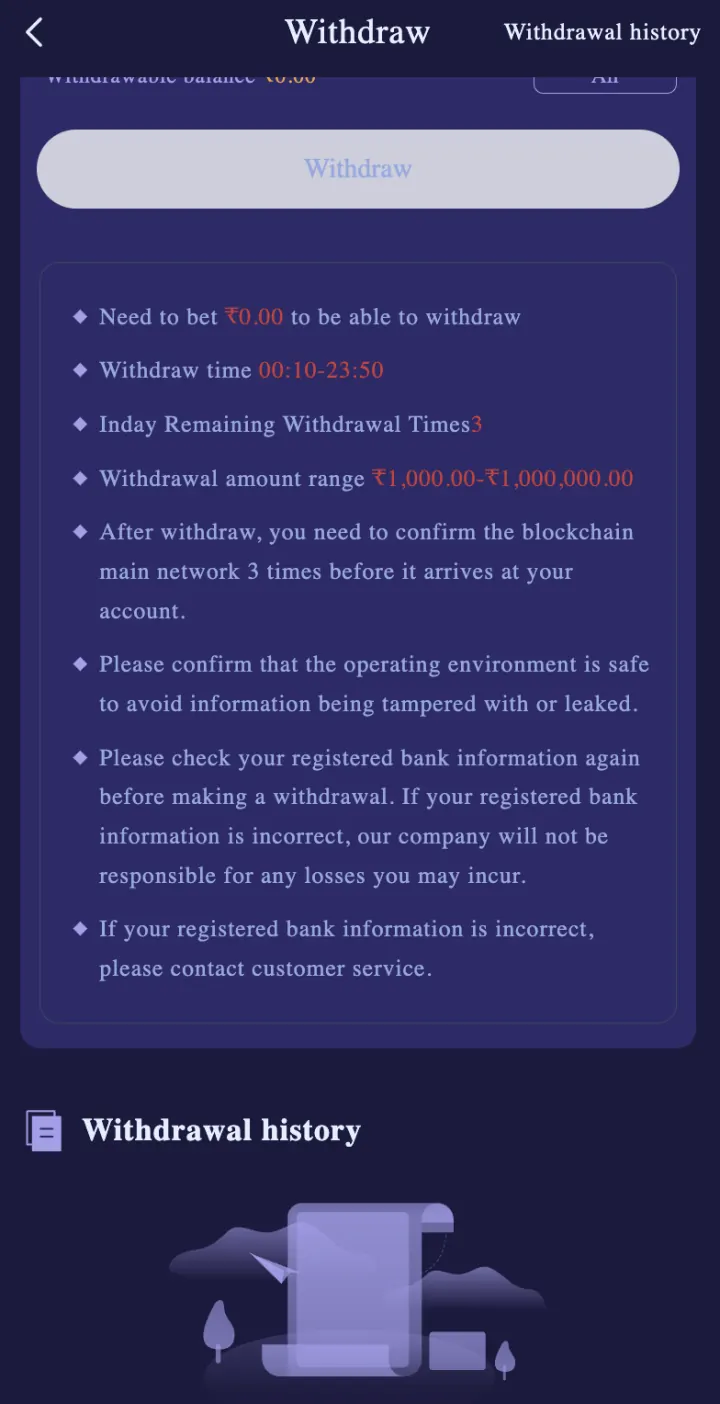
The minimum is ₹100 for UPI, ₹110 for bank transfer and ₹1,000 for USDT. The selected tab can show more account conditions, limits or network details.
Why Transaction History matters
A transaction record helps you match the amount, date, time and reference with your bank, UPI app or crypto wallet. Check this record before sending a payment complaint.
Take a clear screenshot that hides private account details. Send the user ID, amount, method, time and transaction reference through Customer Support in Settings.
Deposit completed but balance not updated
First check whether the payment app shows Success, Pending or Failed. Then open ShreeWin Deposit History and Transaction. Do not make the same payment again only because the balance has not updated yet.
If the payment is successful but the record remains missing, contact Customer Support with the UTR, amount and time. Never send your password, OTP, UPI PIN, banking PIN or complete card details.
Withdrawal pending or failed
Open Withdraw History and read the current status. Check whether the receiving details are correct and whether the account shows a verification, turnover or limit message.
If the request stays pending beyond the stated processing period, contact Customer Support with the withdrawal reference. For USDT, also check the selected network and blockchain confirmation status.
Keep your Wallet secure
Use your own bank, UPI or crypto-wallet details. Enter an OTP or payment PIN only inside the correct bank or payment screen. ShreeWinAPK.net never asks you to enter these details.
Review your Wallet history regularly and set a fixed amount limit for paid gaming. Never transfer funds to an unverified personal payment ID received in a private message.
Explore these ShreeWin sections
Tap any preview image to view the complete ShreeWin page and its available options.