
How skill and decision-making apply
ShreeWin includes different game formats rather than one single type of skill game. Reading rules, watching the countdown, checking the selected period and reviewing a choice before confirmation all require attention and responsible decision-making.
These actions can help you avoid input mistakes, but they cannot guarantee a result. Lottery, colour, number and crash-style formats may include chance or system-generated outcomes, so check the Rules section for the exact game you open.
Main game categories
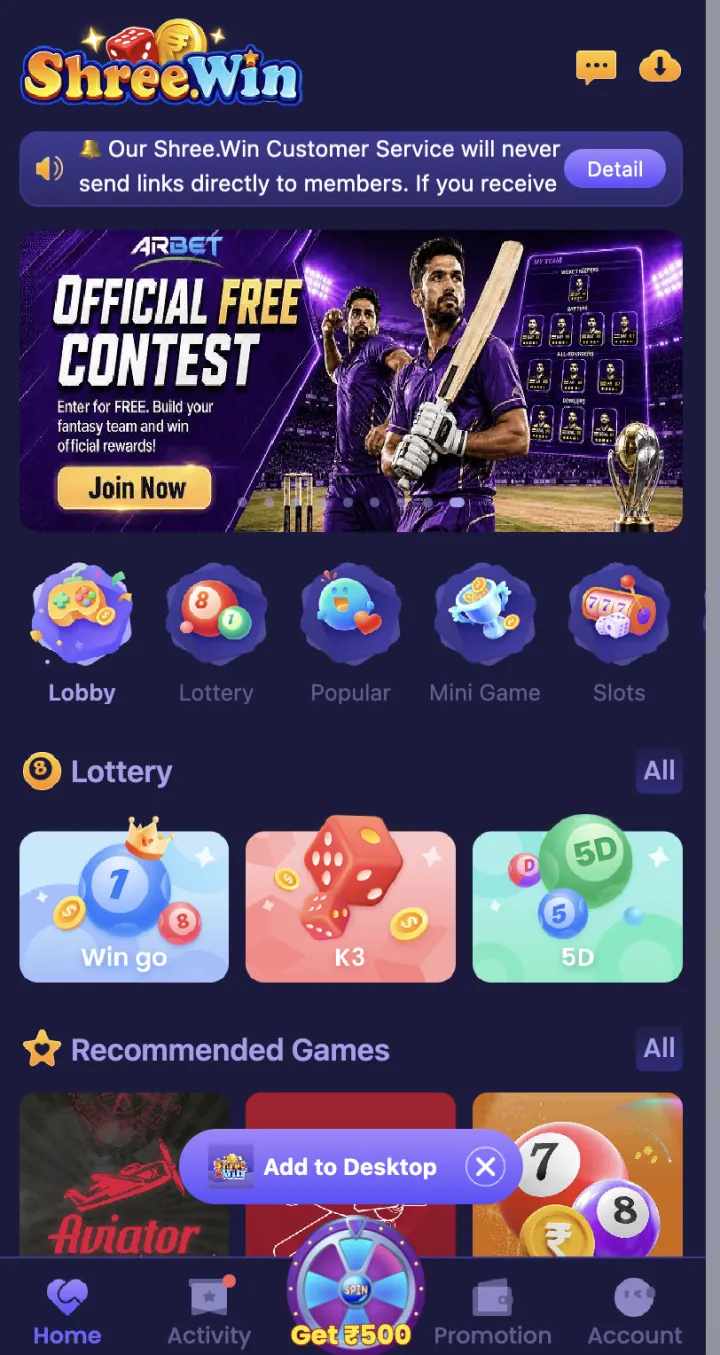
Lobby is the main view for browsing ShreeWin games. Use Lottery, Popular, Mini Game, Slots and Casino to move between game formats.
Open a category tab to see its game cards. WinGo, K3 and 5D are available under Lottery, while Aviator appears in Recommended Games.
- Lobby
- Lottery
- Popular
- Mini Game
- Slots
- Casino
WinGo colour and number game
WinGo is a colour and number game available in the ShreeWin app. Before you join a round, check the selected period, available choices, countdown and result history shown on the game screen.
Tap Rules to see the available periods, entry limits and result table. Check your selection and amount before you confirm.
K3 and 5D games
K3 and 5D are number-style games available in ShreeWin. Open the game you want and check its period, number choices, entry panel and result section.
Tap Help or Rules to see the available round times, entry amounts and complete game rules. Read them before you confirm an entry.
Aviator
Aviator is a crash-style game available in the game list. Open it to view the active round, entry buttons and on-screen value.
Read the Help or Rules section for the round time, available entries and result process. Rules on another app may be different, so use the information shown inside ShreeWin.
TRX WinGo and MotoRace
TRX WinGo and MotoRace appear in the Lottery section. Open their cards from the category row on the ShreeWin homepage. The separate guides explain how to find each game and read its round screen.
Check the selected period, available choices, entry amount and result rules inside the game before you continue.
Common game-screen terms
Period or round identifies one game cycle. Countdown shows how much time remains before that cycle closes. Result History lists completed periods, while Transaction or Game History shows the record connected with your account.
Use the period number to match a result with the correct entry. The same game name can have different periods or entry options, so read the labels on the active screen instead of relying on an older screenshot.
- Period or round number
- Countdown and closing time
- Selected choice
- Entry amount
- Result History
- Account transaction record
What to check on every game screen
Check the selected game name, round period, countdown, available choices, entry amount and result history before you tap Confirm. Make sure the round is still open and review any rule that affects settlement.
Use a fixed time and spending limit for paid play. Users must be 18+ and should check the laws that apply in their state or location.
- Game name and selected period
- Round countdown
- Available choices
- Entry amount
- Result and transaction record
- Current game rules