
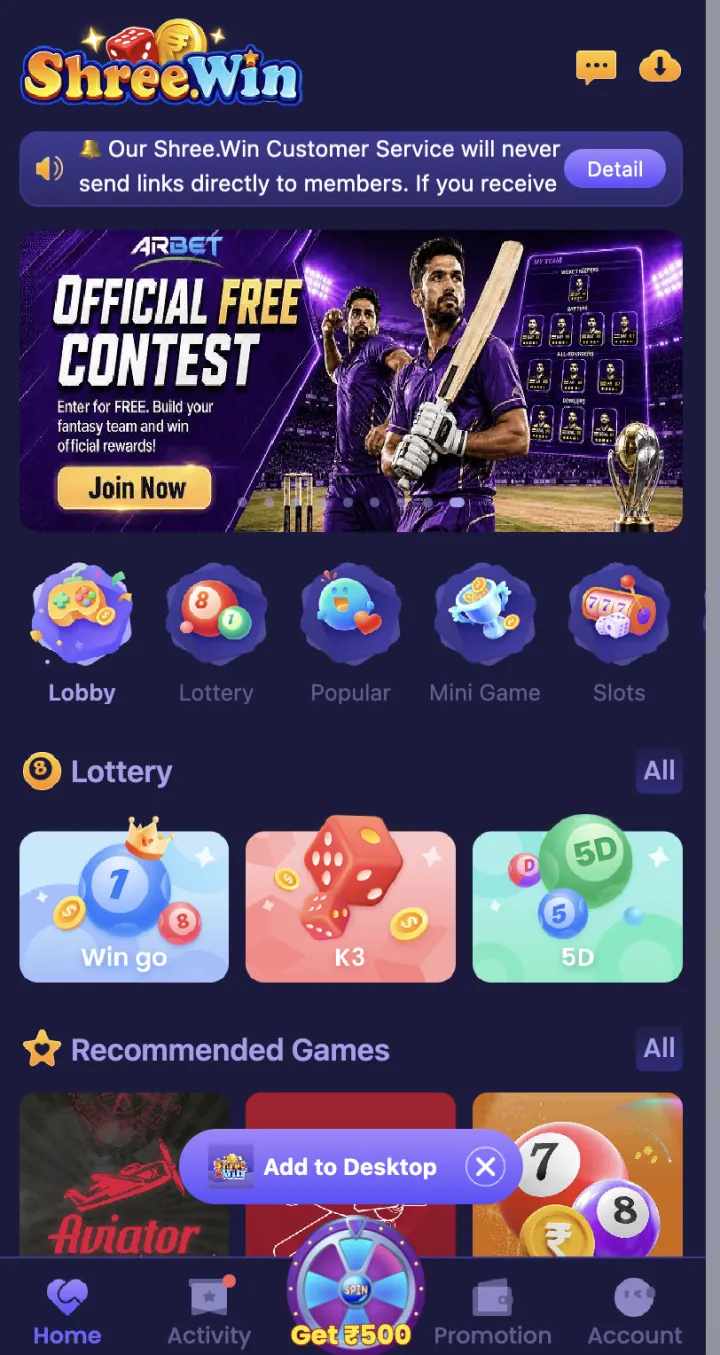
How to open the Lottery section
Open the ShreeWin homepage and tap Lottery in the category row beside Lobby, Popular, Mini Game and Slots.
WinGo, K3 and 5D are available in the Lottery section. Use All to browse the complete game list.
Games available in Lottery
The Lottery section includes TRX WinGo and MotoRace. Tap the game card you want to open and check the active round details before selecting an entry.
Use the full Lottery list to check whether more games have been added to your account.
- TRX WinGo
- MotoRace
Is ShreeWin Lottery skill-based?
Understanding the rules, checking the period and reviewing your selection require attention. These are useful player skills because they reduce avoidable input and timing mistakes.
A lottery-format result should not be presented as controlled by player skill unless the live Rules section clearly explains that. Treat each result according to the game rules and never rely on a guaranteed prediction claim.
How to read a round screen
Check the game name and selected period first. Read the countdown, available choices and confirmation details before you submit. After the round closes, use Result or History to check the outcome.
Tap Help or Rules to see the available periods, entry limits, closing rules and result table for that game.
Keep Lottery records organised
Save the period number and account transaction reference together when you need to review an entry. A screenshot of only the result may not show which account record or period you are asking about.
For support, send the game name, period, date, time and transaction reference in one message. This gives the support team the useful details without exposing your password, OTP or payment PIN.
Result and transaction checks
If a result or balance is not updated, refresh the game page and check Game History or Transaction. Keep the round number and entry reference before you contact Customer Support.
Set an amount and time limit before you play. Do not share your password, OTP, UPI PIN or withdrawal password when asking about a game record.